Meeting Decision Receipt
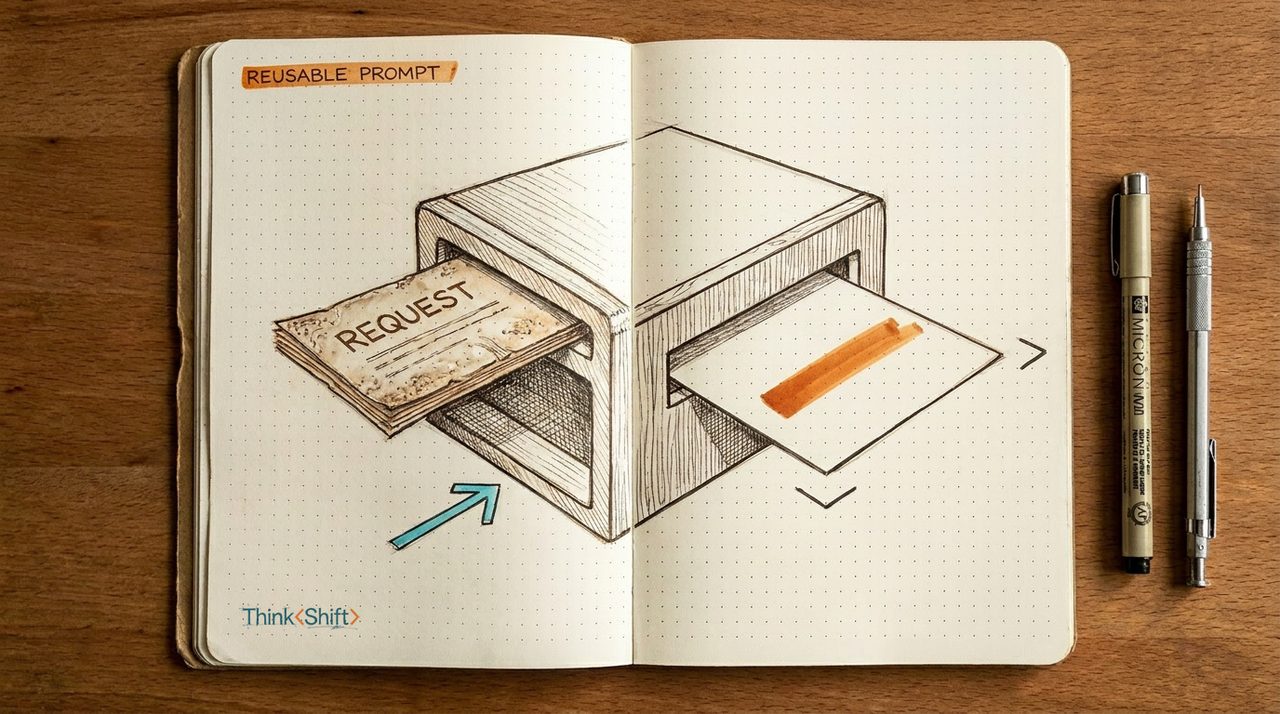
Free toolTurn rough notes into an editable record of decisions, owners, next steps, open questions, and risks.
Runs in your browser. Your notes are not sent to ThinkShift.
Build a decision receipt → Take the Quiz
The tools directory
You do not need a giant AI stack. You need to know which tool fits the work in front of you. Here are 67 we think are worth knowing, sorted by the job they do, each with a plain note on when to reach for it.
Jump to a job
Your company policy, data rules, and approved-software list matter more than any list here. AI-native means the product is the AI. AI-adjacent means a strong tool with AI features added well.
Turn rough notes into an editable record of decisions, owners, next steps, open questions, and risks.
Runs in your browser. Your notes are not sent to ThinkShift.
Build a decision receipt →General assistants that turn a rough idea into a solid first draft, plus editors that clean up what you already wrote.
The general AI assistant most people start with, good for drafting emails, docs, and summaries from a plain prompt.
Best default if you want one tool for everything and no setup.
Visit ChatGPT →AI assistant that tends to write in a more natural, less formulaic voice and handles long documents well.
Best for nuanced prose, long reports, and matching your tone.
Visit Claude →Google's AI assistant that works inside Gmail, Docs, and Drive so you draft without leaving your files.
Best if your work already lives in Google Workspace.
Visit Google Gemini →Microsoft's AI assistant built into Word, Outlook, Excel, and PowerPoint for drafting where you already work.
Best for teams standardized on Microsoft 365.
Visit Microsoft Copilot →Checks grammar and tone as you type and rewrites clunky paragraphs, useful on top of whatever else you use.
Best for polishing your own writing rather than generating it.
Visit Grammarly →Rewrites and rephrases sentences you already wrote, for when a line is close but not quite right.
Best for tightening existing copy, not first drafts.
Visit Wordtune →Dictation tools that turn speech into clean, formatted text anywhere you would normally type, often faster than a keyboard.
Speak in any app and it transcribes plus cleans up your rambling into formatted text on Mac, Windows, and phone.
Best all-around pick with coverage on every device.
Visit Wispr Flow →Dictation that can run fully on your device offline, for people who do not want audio leaving their machine.
Best when privacy or offline use matters; Mac, Windows, iOS.
Visit Superwhisper →Real-time dictation that corrects grammar as you speak and handles technical terms well across your apps.
Best for accuracy on jargon-heavy speech; Mac, iOS, web.
Visit Aqua Voice →Dictation that matches your writing style and formats on the fly, with HIPAA compliance for regulated work.
Best if compliance matters; Mac, Windows, iOS.
Visit Willow Voice →Transcribes meetings, audio, and video files locally on a Mac and does live dictation, for a one-time price.
Best for Mac users who want file transcription plus a one-time price.
Visit MacWhisper →AI notetakers that record, transcribe, and summarize your calls so you can stay present and skip the writeup.
Enhances the rough notes you type during a call using device audio, with no bot joining the meeting.
Best for external or client calls where a visible recording bot feels awkward.
Visit Granola →Joins your video calls to record, transcribe, and summarize them, then pushes action items to your tools.
Most generous free plan of the group: unlimited recording and summaries.
Visit Fathom →Sends a bot to your meetings to transcribe, summarize, and log everything to your CRM.
Best for teams needing CRM auto-population and 60+ languages.
Visit Fireflies.ai →Transcribes meetings live into searchable notes with summaries and action items, and connects to Slack and Salesforce.
Long-standing option with strong live transcription and search.
Visit Otter.ai →Produces clean notes and action items after each call and can trigger follow-up automations across your apps.
Bot-free desktop recording; SOC 2 Type II and HIPAA compliant.
Visit Circleback →Summarizes meetings plus emails and chat, with a mobile app for capturing in-person conversations.
Best for in-person meetings and pulling notes from more than video calls.
Visit Read AI →AI tools that triage your inbox, draft replies in your voice, and cut the time you spend on email each week.
Fast keyboard-driven email app with AI that drafts replies in your voice, summarizes threads, and auto-labels noise.
Best for high-volume senders who live in email; now part of Grammarly.
Visit Superhuman →Plugs into Gmail or Outlook to sort your inbox, draft replies in your tone, and take meeting notes automatically.
Best for a two-minute setup with no new app to learn.
Visit Fyxer →AI email client for Gmail that writes, searches, schedules, and organizes from a plain-language prompt.
Gmail and Google Workspace only; not for Outlook.
Visit Shortwave →AI assistant that triages your inbox, drafts ready-to-send replies, and can handle routine email on autopilot after review.
Best for founders and small teams; SOC 2 and HIPAA compliant.
Visit Serif →Filters your inbox by importance across any email account, defers low-priority mail, and blocks unwanted senders.
Best for cutting clutter without switching apps; it sorts, it does not write.
Visit SaneBox →Answer engines that search real sources and cite them, so you can check a claim or get oriented on a topic fast.
Searches the live web and returns short answers with inline citations you can click to verify.
Deep Research mode reads dozens of sources for a fuller report.
Visit Perplexity →Answers yes-or-no questions by searching peer-reviewed papers and showing how much the evidence agrees.
Best when a claim needs to stand on real studies, not the open web.
Visit Consensus →Reads across academic papers to pull out findings and build a structured literature review.
Best for evidence extraction across many papers, not quick answers.
Visit Elicit →Builds a structured research page from your question using several agents working together.
Best when you want an organized brief, not a chat reply.
Visit Genspark →Tools that digest long documents, PDFs, and dense reading into something you can actually use.
Ask questions across a stack of PDFs and contracts and get cited answers instead of reading every page.
Best for comparing several documents at once with source citations.
Visit Humata →Talk through a messy thought out loud and get back clean, structured writing with the filler cut.
Best for turning a voice ramble into a usable note or email draft.
Visit AudioPen →One place to save articles, PDFs, and newsletters, then highlight and summarize what you meant to read.
Best for people drowning in a read-later pile.
Visit Readwise Reader →Paste your text and it turns the ideas into editable diagrams and charts you can drop into a deck.
Best for making a written point visual fast; free plan available.
Visit Napkin AI →Describe a deck or paste a doc, and these turn it into slides with layout, copy, and visuals already in place.
Turns a prompt, outline, or existing doc into a full deck you can present, then export to PowerPoint or Slides.
Best for a fast first draft from scratch when you have no starting file.
Visit Gamma →Builds on-brand slides that auto-arrange as you type, so spacing and layout stay clean without fiddling.
Best when brand consistency across a team matters more than raw speed.
Visit Beautiful.ai →Adds AI slide generation and editing inside Google Slides and PowerPoint, so you stay in the tool you use.
Best if you do not want to learn a new app or leave Slides or PowerPoint.
Visit Plus AI →Turns a topic, document, or URL into a structured deck with your branding, then exports a clean editable PowerPoint.
Best when you need a native .pptx that opens cleanly for more edits.
Visit Presentations.AI →Drafts a presentation from a topic, a Word doc, or a URL directly in PowerPoint with a Microsoft 365 Copilot license.
Requires a paid Microsoft 365 or Copilot Pro plan; not in free tiers.
Visit Copilot in PowerPoint →Turn a plain description into finished graphics, images, and layouts without design software skills.
Design app that builds branded posts, slides, and graphics from a prompt, with AI writing and image editing built in.
Best starting point for a non-designer who wants finished, on-brand assets.
Visit Canva Magic Studio →Image generator that renders clean, readable text, so posters, logos, and signage come out with words spelled right.
Best when your image needs legible text.
Visit Ideogram →Image generator trained on licensed content, so output is safer to use commercially, with editing inside Adobe apps.
Best when commercial use and IP safety matter.
Visit Adobe Firefly →Image generator known for the most polished, artistic results, now usable on the web without Discord.
Best for striking visuals; less structured for on-brand layouts.
Visit Midjourney →Design generator that outputs editable vector files and keeps a consistent brand style across icons and illustrations.
Best when you need real SVG logos or icons, not just one-off pictures.
Visit Recraft →Free-to-try image generation and editing inside Gemini that handles style changes, resizing, and legible text.
Best free option for quick edits.
Visit Google Gemini (Nano Banana) →Record, clean up, and repurpose video and audio without a studio or an editor.
Edit video and audio by editing the transcript, so you fix a recording the way you fix a document.
Best for a first talking-head video or podcast without a timeline editor.
Visit Descript →Turns one long video into short captioned clips, for when you have a webinar or talk to reuse.
Best for pulling social clips out of recorded calls and presentations.
Visit Opus Clip →Generates natural voiceover from typed text, useful when you need narration but do not want to record it.
Watch out for voice-cloning consent; only clone a voice you may use.
Visit ElevenLabs →Makes a talking presenter video from a script, so you can ship an update without filming yourself.
Best for quick sales or onboarding videos when you cannot get on camera.
Visit HeyGen →Cleans up spoken audio so a phone or laptop recording sounds closer to studio quality, free in the browser.
Best for rescuing a noisy Zoom or voice memo before you share it.
Visit Adobe Podcast →Records remote interviews and video calls in high quality, capturing each person locally instead of over the connection.
Best for a clean guest interview or webinar you plan to reuse.
Visit Riverside →Connect your apps so routine handoffs run on their own, from a plain-English request or a visual workflow.
Connects thousands of apps so a trigger in one kicks off actions in others, describable in plain English.
Best starting point for non-technical users; widest app coverage.
Visit Zapier →Builds automations on a visual canvas where you can see each step, good when a workflow has branches and logic.
Approachable, but the builder has a steeper first hour than Zapier.
Visit Make →Runs AI agents that handle whole jobs like email triage or meeting follow-ups from a plain-language request.
Best when you want to delegate an outcome, not wire up every step.
Visit Lindy →Builds no-code workflows where AI models reason through steps, for research, analysis, and report drafting.
Best when the work needs judgment at each step, not just moving data.
Visit Gumloop →Automates workflows with the option to drop into code and self-host, for deep control over how things run.
Leans technical; best if you have a developer or want self-hosting.
Visit n8n →Automates browser tasks like scraping web pages and enriching CRM records, aimed at sales and go-to-market work.
Best for lead research and browser tasks that lack a clean integration.
Visit Bardeen →Book meetings, protect focus time, and rebuild your day when plans change, so you spend less time managing a calendar.
Auto-schedules your tasks, habits, and focus time around meetings, then reshuffles everything when your day changes.
Best for defending focus time on a busy Google or Outlook calendar.
Visit Reclaim.ai →Turns your task list and projects into a timeblocked calendar and re-plans your day automatically when work shifts.
Best when you juggle many projects and deadlines; about $49 a month.
Visit Motion →Shares a booking link so people pick open times without back-and-forth, now with an AI assistant for scheduling.
Best for client-facing scheduling; the one most colleagues recognize.
Visit Calendly →A fast, keyboard-driven calendar with natural-language scheduling and time-zone overlap views for people in meetings.
Best for executives, assistants, and heavy schedulers who want speed.
Visit Vimcal →Hold your notes, meetings, and documents, and answer questions from them when you need it.
Upload your documents and it answers questions grounded only in those sources, with citations back to the page.
Best for answers from a specific set of files without outside noise.
Visit Google NotebookLM →Ask your workspace a question and get an answer pulled from your own pages, meeting notes, and connected apps.
Best if your team already runs on Notion.
Visit Notion AI →Capture notes and meetings fast and let it surface the relevant ones later without folders or manual filing.
Best for people who capture a lot and hate organizing it.
Visit Mem →A private notes app that links related ideas and transcribes voice, with your notes encrypted end to end.
Best when privacy matters and you want notes that connect over time.
Visit Reflect →Help sales and client-facing pros prospect, write, and understand what actually happened on the call.
Records and analyzes your sales calls, then surfaces what worked, what stalled, and what to follow up on.
Best for call insight and coaching; enterprise-priced.
Visit Gong →AI built into HubSpot that drafts outreach, enriches contacts, and summarizes calls using your own CRM data.
Best if you already run on HubSpot.
Visit HubSpot Breeze →Find prospects in a large contact database, then run outreach and enrich records from one place.
Best all-in-one for solo sellers; has a free tier to start.
Visit Apollo.io →Build lists and enrich them from many data sources at once, with AI agents that research each account.
Best for deep, custom prospecting; steeper learning curve.
Visit Clay →A flexible CRM that logs calls and emails automatically and answers plain-language questions about your pipeline.
Best for small teams wanting a modern CRM without heavy setup.
Visit Attio →Coaches your sales emails as you write them, flagging length, tone, and lines likely to hurt replies.
Best for improving cold-email reply rates; works in Gmail and Outlook.
Visit Lavender →Not sure which to start with?