
Signal
Help AI understand what your project notes actually mean
Your notes say the pilot passed and acceptance is pending. Tell AI how those steps connect before it writes the client update.
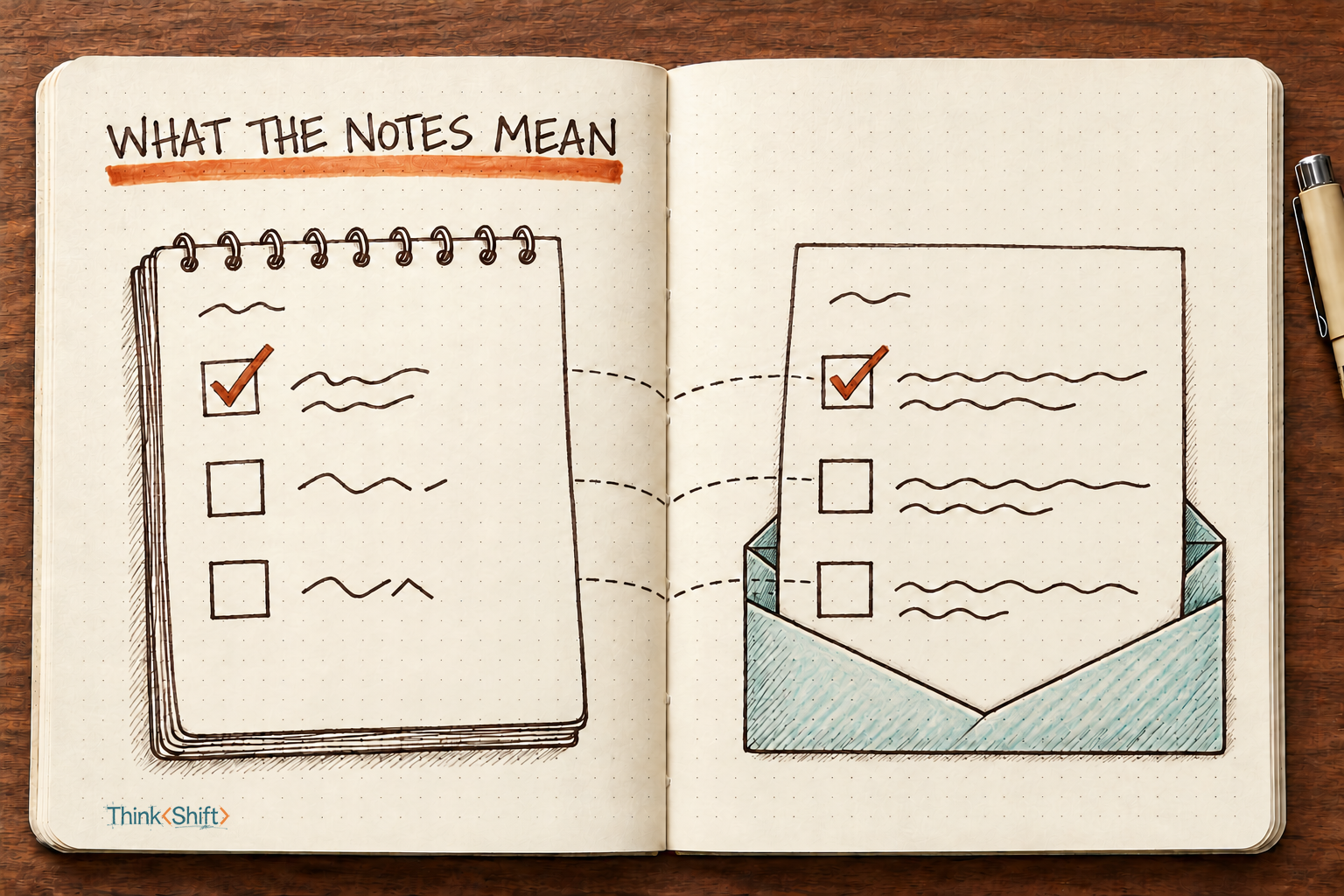
The move Before AI turns your shorthand notes into a client update, write one line per term: what it means, and what it does and doesn't lead to. Then have it flag any status shorthand it can't decode, and any clash between your inputs, instead of guessing.
The short version: Project notes use words that depend on each other. A passed pilot only lets you ask for acceptance, and acceptance is what lets you set a launch date. Give AI those connections before it writes the update, then read the update against your notes before it goes out.
Jordan runs store operations at Northfield Grocers and wants an update before Thursday's weekly call. Your notes on the loyalty app your team is building for Northfield say "Pilot PASSED," "Acceptance: pending" and "Launch: TBD." To your team, that's a clear picture.
Jordan doesn't know your project's shorthand and will forward the update to Northfield's regional managers. The word to watch is "passed." In friendly client language, "the pilot passed" can read like "we're ready to launch." If Jordan forwards an update that reads that way, regional managers start getting stores ready for a launch nobody has approved.
So before you ask AI for the update, give it the connections your team carries in its head. Write one line per term: what it means, and what it does and doesn't lead to.
Pilot: a two-week test of the app in 4 of Northfield's 22 stores. Passing it lets us ask for acceptance. It doesn't mean the app is accepted.
Acceptance: Northfield IT's sign-off that the app is safe to run in every store. Only Northfield IT can give it. We can't set a launch date without it.
Launch: the app going live in all 22 stores. We set the date after acceptance, with about two weeks' notice to store managers.
The second half of each line is the part that says how far that step gets you. "Passing it lets us ask for acceptance" puts the pilot one step closer, with the approval still ahead.
A definition tells AI what a word means. The connection tells it what that word lets happen next.
The prompt
Turn my project notes into a short update for someone who doesn't know our internal terms.

Who it's for: [their name and role, and who they'll share it with]

How our terms connect: [one line per term: what it means, and what it does and doesn't lead to]

Notes:
[paste your notes]

1. Keep every status exactly as the notes give it. A finished step is not the approval it leads to, and a pending step is not done.
2. Follow the connections above. When one step only makes the next one possible, say so, and don't describe the next step as done, approved or certain.
3. Don't add dates, numbers or promises that aren't in the notes or the connections.
4. If a note gives a status in shorthand I haven't explained, such as a color, a code or an abbreviation, don't guess what it means. Leave it out of the update and list it after the update under "Check before sending."
5. If the notes and the connections disagree, or I ask for wording these rules don't allow, don't pick a side for me. Leave that point out of the update and explain the conflict under "Check before sending."
6. Write in plain words, under 150 words, in three short parts: what happened, what it means for them, what still has to happen.
7. Use only the notes and connections in this message, even if earlier messages in this chat used other terms. If the notes or the connections are missing, ask for them instead of writing.
The "who it's for" line tells AI how plain to go and who else will read it. Rules 1 and 2 are there so a finished step isn't written up as the approval it leads to.
Rule 4 covers shorthand AI can't decode. It has no way to know what your team means by "green," so the rule tells it to flag the word instead of guessing. Rule 5 covers clashes in your own inputs. If someone asks for "ready to launch" while acceptance is pending, the rule tells AI to leave that wording out and list the request under "Check before sending" for you to decide.
Filled in for Jordan, the other two blanks look like this
A made-up example.
Who it's for: Jordan Reyes, director of store operations at Northfield Grocers, our client. Jordan doesn't follow our project terms and will forward this update to Northfield's 12 regional managers.

Notes:
Northfield loyalty app, internal notes, week of Oct 12
- Pilot PASSED Oct 9. 4 stores, 14 days. Signups 3,180 vs 2,500 target. Checkout scan errors 0.6% (target under 1%).
- Acceptance: with Northfield IT. Pending. Waiting on security test report from our testing vendor, due Oct 21.
- Launch: TBD. Can't book until acceptance. Store mgrs need ~2 wks notice.
- Rewards sync: green.
Four checks before Jordan sees it
A usable update for Jordan passes all four:
- It says the pilot passed, with the numbers from your notes, and nothing in it suggests the app is approved or ready to launch.
- It says acceptance is still with Northfield IT, waiting on the security test report due October 21.
- It gives no launch date. Saying the date gets set after acceptance, with about two weeks' notice, is fine. A specific date would be invented.
- "Rewards sync: green" sits under "Check before sending," because nobody told AI what green means.
If one fails, fix that sentence of the update yourself, then look at whether your connection line left room for the slip.
The same move works anywhere one step only makes the next one possible. A salesperson at a print shop, telling the production scheduler which jobs to plan, would write lines for proposal, purchase order and booked job. Then a customer's "let's do it" on a call has a line that says what it is: still a proposal, and nothing gets scheduled from a proposal.
What stays yours
AI only knows what you wrote down. You know whether Northfield IT is close to signing off, so read the update against your notes before Jordan sees it. The request is plain text, with no files or connectors, but different AI tools and models can still handle it differently. Use one your company has approved for client project details.
Try it this week. Before your next client update, pick the three terms it leans on and write one line for each: what it means, and what it does and doesn't lead to.