
Workarounds
Project or custom GPT? The one-line rule
The two sound interchangeable. They're not, and the difference decides how you build.
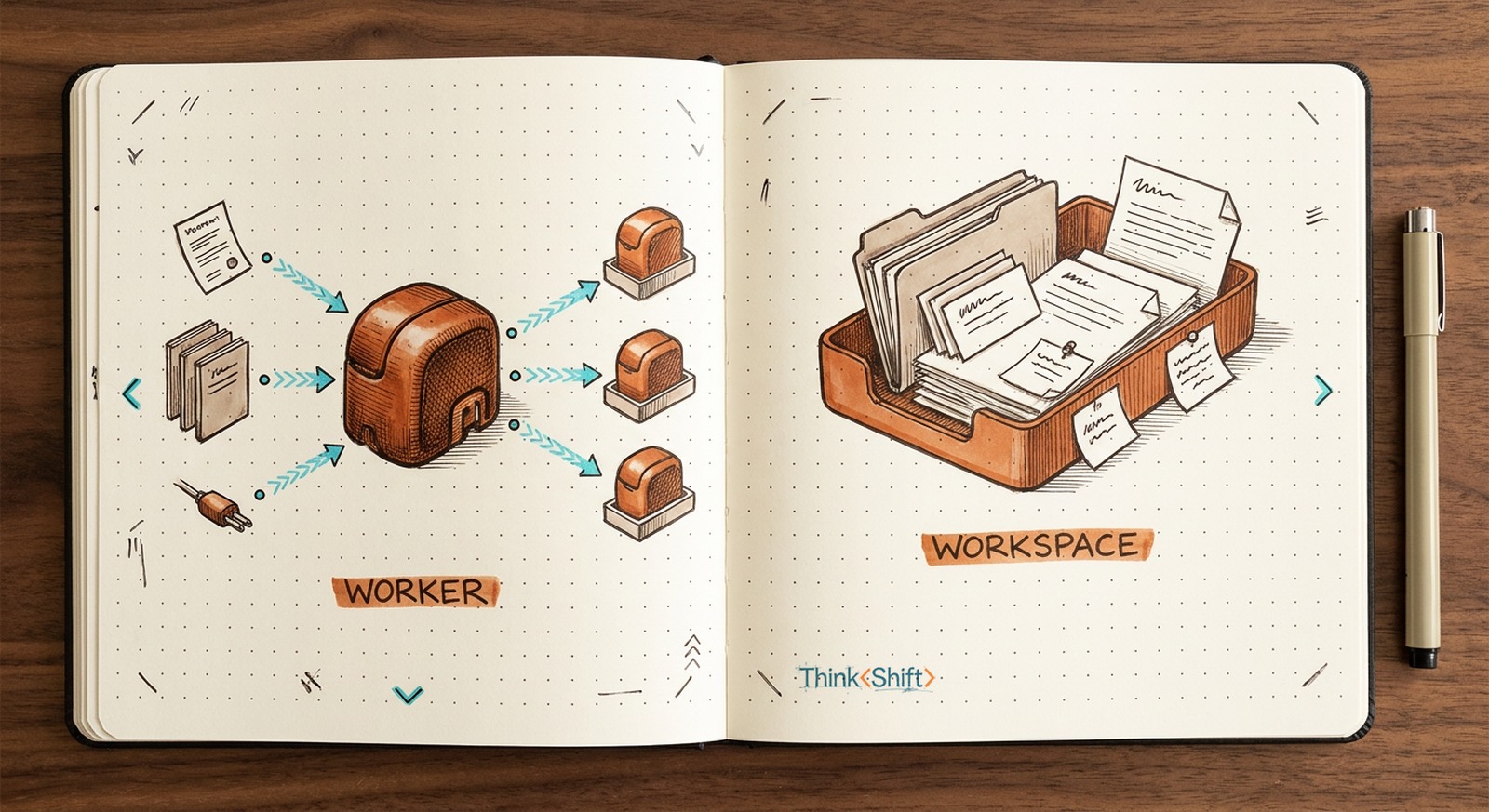
The move Match the tool to the part you're reusing: a repeatable method wants a worker (custom GPT); a growing body of context wants a workspace (Project).
The short version: A custom GPT is a worker you build once and put on one job, and can hand to your team or wire to act on live systems. A Project is a workspace where one area's related chats and context accumulate, so each new chat opens already knowing the account and the history. The fork only forks on ChatGPT, which gives you both. Claude gives the workspace, Gemini the worker, so on two of three tools the answer is already made.
The fork
You've finally decided to set AI up properly for one of your main work tasks instead of starting from scratch every time. But, if you're using ChatGPT specifically, right away you encounter a fork in the road you may not have expected: do you use a Project or a custom GPT?
The two sound like the same thing under different names, which is why most people just pick whichever one they've heard of. But in reality they're different tools built for different jobs and once you understand the differences, you'll be able to reach for the right one with confidence.
A worker and a workspace
A custom GPT is essentially a worker you build once and then put on one job. You can give it a set of specific custom instructions, hand it your reference material, and from then on it does that job the same way every time, on whatever you feed it. You summon it from anywhere. You can even hand it to your whole team to use directly or publish it for anyone to access. Wire it into another system and it works on live data, not just the files you gave it.
A Project, on the other hand, is essentially a customized workspace you work inside, tailored to a specific (wait for it) work project you have as part of your job that needs defined context, curated knowledge, and customized instructions. It keeps all your related chats in one place, each sharing that same context with a growing memory specific to that project. Open a new chat inside it and it already knows the account, the history, the call you made last week. The more you work in it, the more it holds. You can also bring other people in to work alongside you.
A custom GPT is a worker. A Project is a workspace.
So which do you build?
The question isn't which is better. It's which part of your work you're actually reusing: a repeatable method or a growing body of context.
Say you screen inbound resumes every week. You build a custom GPT once, giving it your five must-haves, two past hires and two you passed on as examples, and instructions to return a short scored table with the gaps flagged for any new resumes you give it. From then on, every resume is paste-and-read, scored the same way. Because it's a custom GPT, you can hand it to everyone else who screens and now the whole team judges with the exact same rubric and process. That's a worker.
Now say you're running one big client account all quarter. You set up a Project and drop in the statement of work, the last few decks, the meeting notes, and how this client likes things framed. Then you draft the Quarterly Business Review in one chat, prep next week's workshop in another, and pull today's call into a third. Now each new chat in the Project opens already knowing the account and all of the relevant context as well as how it should be approaching things from the start. By month three the Project holds more than you'd ever want to retype. That's a workspace.
Your AI might decide for you
As mentioned, only ChatGPT gives you both. So if you're using another app exclusively, this doesn't really apply.
Claude gives you just the workspace, which it also calls a Project, but there's no standalone worker to publish. You can still share a Project to collaborate, like in ChatGPT, though on Claude that needs a Team plan.
Gemini gives you just the worker; however, a Gem's real edge is that it lives inside Google Workspace, close to your Docs and Drive. What it doesn't give you is a workspace that gathers related chats the way a Project does.
So unless you're in ChatGPT, you'll be working specifically with Projects or Gems.
Before you build one
Whichever you set up, it comes down to the same few pieces: custom instructions that set the standard, a knowledge base of your real files and examples, and, for a custom GPT, actions that let it reach outside itself. Or go straight to the official guides:
- ChatGPT: Projects and custom GPTs
- Claude: Projects
- Gemini: Gems
One caveat: people misuse them in a couple of ways, both worth dodging. A Project turned into a junk drawer of unrelated work becomes a mess of noisy, unfiltered context that produces mediocre output. A custom GPT built for a one-off task is overkill, much more easily handled by a properly curated prompt. Keep a Project to one area and give it only the relevant files and instructions. That's what gets you the best output.
Once you know which part of your work you're reusing, the choice makes itself.